How to Fix iPad (10th gen) Wi‑Fi Keeps Dropping
This guide is a practical, ordered fix for Wi‑Fi Keeps Dropping on iPad (10th gen) running iPadOS. Start with the least destructive checks, then software repairs, and only then a backup-and-reset. Each numbered step includes a simple diagram so you can match what you see on screen. Private Wi‑Fi Address on iPad (10th gen) can confuse some UK ISP routers and guest networks — try toggling it off for your home SSID if drops persist.
Who this guide is for
- Primary device: iPad (10th gen)
- Software family: iPadOS
- Brand: Apple
Editor notes before you start
- This guide is written for iPad (10th gen) on iPadOS. Sister Apple models are often similar, but menu labels can move after an update — use Settings search when a path differs.
- If other devices on the same router stay online, focus on iPad (10th gen)’s Wi‑Fi profile (forget/rejoin, Private Wi‑Fi Address, VPN) before factory-resetting the phone.
- We keep these guides intentionally focused: fewer pages, clearer steps, and honest stop-points before unsafe hardware work.
What you will need
- 10–15 minutes without rushing
- Your device passcode / password
- Your Wi‑Fi name and password
- Access to the router (and modem if separate)
Before you start
- Save any open work on iPad (10th gen) if the device is still responsive.
- If you have not backed up recently, start a quick cloud backup before deeper resets.
- Work through the steps in order; skip ahead only if a step clearly does not apply.
Symptoms
- Wi‑Fi connects, then drops every few minutes without moving rooms.
- Other phones or laptops on the same router stay online.
- You may see “Connected, no internet” or repeated password prompts.
Common causes
- Corrupt Wi‑Fi network profile on the iPhone/iPad
- Private Wi‑Fi Address / VPN conflicting with the router
- Carrier settings out of date (mobile signal / SMS)
- Router band steering dropping the device between 2.4 and 5 GHz
- DNS or captive portal issues after travel
Step-by-step fix
Toggle and rejoin Wi‑Fi cleanly
Turn Wi‑Fi off for 10 seconds, then on. Forget the SSID and rejoin via Settings → Wi‑Fi with the correct password. Prefer 5 GHz when you are close to the router; use 2.4 GHz through thick walls.
Power-cycle the network path
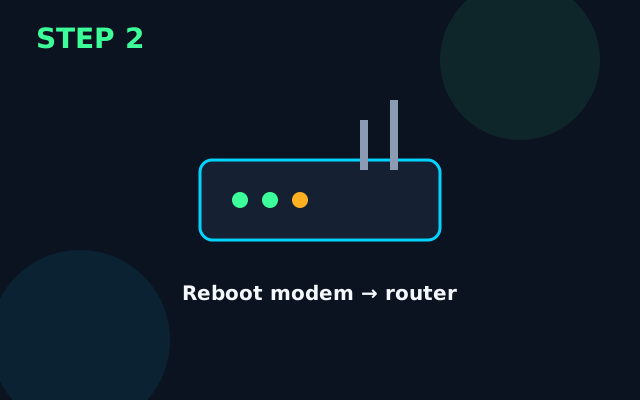
Restart iPad (10th gen). Unplug the modem (if separate) for 2 minutes, power it on, wait until sync lights settle, then power the router, wait 2 minutes, then reconnect iPad (10th gen).
Install available updates
Plug in iPad (10th gen), join Wi‑Fi, open Settings → General → Software Update, and install iOS/iPadOS updates overnight if large.
Reset network settings (keeps photos and apps)

On iPad (10th gen) open Settings → General → Transfer or Reset iPhone/iPad → Reset → Reset Network Settings. You will re-enter Wi‑Fi passwords afterwards.
Deeper isolation before erase
Test in safe/guest mode if available, or with a second user profile. Decide whether the fault is hardware-like (always) or software-like (after updates). Keep a short note of Settings changes so you can undo them.
Last resort: backup then reset
Back up iPad (10th gen) to a computer or iCloud. Then Erase All Content and Settings. Set up as new to test — restore the backup only after the fault is gone, or restore selectively.
What success looks like
iPad (10th gen) stays connected through a web page load and a short video stream without dropping.
Prevention tips
- Reboot the router monthly and after ISP engineer visits.
- Keep a written note of the admin password somewhere safe offline.
- Stop DIY if you smell burning, see liquid damage indicators, or the chassis is swollen.
When to get professional help
Stop DIY if you smell burning, see liquid damage, notice a swollen battery, or if iPad (10th gen) still fails after a clean backup-and-reset. Physical damage and board-level faults need professional service.
FAQs
Will fixing Wi‑Fi Keeps Dropping on iPad (10th gen) delete my data?
Steps before the final factory reset keep your photos and apps. Only a full erase removes personal data — back up first.
How long should the Wi‑Fi Keeps Dropping fix take on iPad (10th gen)?
Most people finish the non-destructive steps in about 15 minutes. Updates and full resets take longer — leave the device on charge.
Should I reset network settings for iPad (10th gen)?
Yes, if forgetting the SSID and rebooting the router did not help. You will need to re-enter Wi‑Fi passwords; photos and apps stay put.
When should I stop DIY on iPad (10th gen)?
Stop if you see swelling, burning smells, liquid damage, or if a clean reset does not help. Continuing can risk data loss or unsafe battery handling.