How to Fix Pixel 8 Won't Charge
This guide is a practical, ordered fix for Won't Charge on Pixel 8 running Android. Start with the least destructive checks, then software repairs, and only then a backup-and-reset. Each numbered step includes a simple diagram so you can match what you see on screen. Pixel devices like Pixel 8 expose battery and network controls cleanly in Settings; Prefer network / Adaptive connectivity quirks are worth checking after Android feature drops.
Who this guide is for
- Primary device: Pixel 8
- Software family: Android
- Brand: Google
- Nearby models in the same brand/OS generation usually follow the same order of checks.
Editor notes before you start
- This guide is written for Pixel 8 on Android. Sister Google models are often similar, but menu labels can move after an update — use Settings search when a path differs.
- For “won’t charge” on Pixel 8, prove the cable and wall brick first. Software resets rarely fix a port packed with lint or a cable that only works at one angle.
- We keep these guides intentionally focused: fewer pages, clearer steps, and honest stop-points before unsafe hardware work.
What you will need
- 10–15 minutes without rushing
- Your device passcode / password
- A known-good wall charger and cable rated for this device
- A second wall socket to rule out a dead outlet
Before you start
- Save any open work on Pixel 8 if the device is still responsive.
- If you have not backed up recently, start a quick cloud backup before deeper resets.
- Work through the steps in order; skip ahead only if a step clearly does not apply.
Symptoms
- Battery percentage stays the same or falls while plugged in.
- Charging only works at certain cable angles, or the port feels warm/gritty.
- You may see “Accessory not supported”, “Liquid Detected”, or no charging indicator at all.
Common causes
- Lint in USB‑C port or damaged cable
- Adaptive charging / protect battery features capping charge
- Fast-charge negotiation failing with third-party bricks
- Bent USB‑C tip or worn port contacts
- Phone too hot to accept fast charge
Step-by-step fix
Inspect and clean the charge path
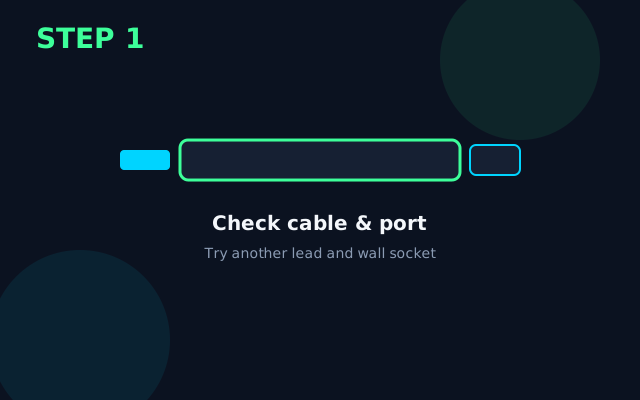
Clean the Pixel 8 charge port gently. Test a different cable and charger that supports your phone’s fast-charge standard. Rule out damaged USB‑C tips.
Confirm the OS actually sees the charger
Pull down the status bar and confirm a charging / fast-charging notice. If the phone only charges when held at an angle, treat it as a port/cable fault first.
Disable charge-limiting features for a test
In Battery settings, turn off Protect battery / Adaptive charging briefly and confirm whether Pixel 8 will charge to 100% on a known-good brick.
Install available updates
Install updates from Settings → System → System update. Stay on power/Wi‑Fi until the process finishes.
Rule out heat throttling
If Pixel 8 is warm, unplug for 10 minutes, remove any thick case, and retry charging on a hard surface. Many phones slow or pause charge when hot — that is protection, not a dead port.
Deeper isolation before erase
Test in safe/guest mode if available, or with a second user profile. Decide whether the fault is hardware-like (always) or software-like (after updates). Keep a short note of Settings changes so you can undo them.
Last resort: backup then reset
Back up first. Use Settings → System → Reset options only if earlier steps failed. Set up Pixel 8 cleanly, confirm the fix, then bring data back in stages.
What success looks like
On Pixel 8, the charging indicator appears within a minute on a known-good charger, and the percentage rises steadily over the next few minutes.
Prevention tips
- Retire frayed cables; intermittent contacts create false “won’t charge” symptoms.
- Avoid soft fabric beds and sofas while charging — trapped heat slows charging and ages the cell.
- Prefer the OEM or a reputable PD charger that matches your phone’s wattage.
- Stop DIY if you smell burning, see liquid damage indicators, or the chassis is swollen.
When to get professional help
Stop and seek a reputable repairer if Pixel 8 smells of burning, the back glass is lifting (swollen battery), you see liquid damage, or there is still no charge indicator after testing two known-good chargers and cables. Do not puncture a swollen battery.
FAQs
Will fixing Won't Charge on Pixel 8 delete my data?
Steps before the final factory reset keep your photos and apps. Only a full erase removes personal data — back up first.
How long should the Won't Charge fix take on Pixel 8?
Most people finish the non-destructive steps in about 20 minutes. Updates and full resets take longer — leave the device on charge.
Why does Pixel 8 stop charging at 80%?
Battery protection features often hold charge around 80% overnight to reduce wear. Disable them temporarily only as a test, then re-enable if charging otherwise works.
When should I stop DIY on Pixel 8?
Stop if you see swelling, burning smells, liquid damage, or if a clean reset does not help. Continuing can risk data loss or unsafe battery handling.